Showing posts with label Install. Show all posts

6 Jul 2015


Flipkart also Launch Refer & Earn Campaign by which it will Provide Rs. 50 EGV to you as Referral Reward & Also Rs. 50 to your Friend as Joining Bonus. Now let your Friend to shop something from Flipkart & you'll get another Rs. 50/- So then You can Earn upto Rs. 100 for each Referral you made.

I'll Discuss How you can Earn Unlimited using a Simple Trick on my Next Post.


How to Avail the Offer :
  1. First you to download the Flipkart App from this Link - Download Flipkart. (Note: You have to install from this link in order to get Rs. 50 EGV. If you install directly from Playstore you'll not get any Voucher.)
  2. Now Open the App, Enter your Mobile No. & Verify it to get Registered.
  3. After Signup, go to the Refer & Earn Option on the Top-Right Corner of the App & Click on "My Earning" to get your Rs. 50 EGV.
  4. Now to Refer your Friends to install the App, Click on "Invite" Tab.
  5. There you can See your Referral Link. Share it with your Friend.
  6. You & Your Friend both will get Rs. 50 Each.
  7. When your Referred Friend Shop for anything on Flipkart you'll be Credited another Rs. 50 EGV.
  8. You can Refer Maximum 20 Friends to Install Flipkart App.


When you refer 20 Friends you can Earn Rs. 100 (Rs. 50 for Referral + Rs. 50 for Shopping) per Friend. So in total you'll get 20 * 100 = 2000 + Rs. 50 (Your Joing Bonus) = Rs. 2050 from each of your Facebook Account.


Terms and Conditions :
  1. You can check your Gift Card Balance from – https://www.flipkart.com/gift-voucher-balance
  2. EGVs and their corresponding unused balance will expire 12 months from the date of issue.
  3. The e-Gift Vouchers (EGV) can be redeemed online against Sellers listed onwww.flipkart.com only.
  4. In a Single order, 15 Gift cards cab be applicable
  5. If the order value exceeds the EGV amount, the balance must be paid by Credit 
  6. Card/Debit Card/Internet Banking.Cash on Delivery payment option cannot be used to pay the balance amount.
  7. If the order value is less than the amount of the EGV, the outstanding balance (after deduction of order value) will reflect under the same EGV.
  8. EGVs cannot be redeemed for Cash or Credit.


4 Jun 2015


Shopclues is back again with a Modification of it's Share & Earn Offer. It's a good news for all of us Guys. Now they are giving Rs.100 Shopclues Gift voucher by referring only a single of your friend. You heard it right. I'll get your Rs. 100 GV by referring only 1 friend instead of Previous 3 Referrals.


How to Earn unlimited Shopclues Gift Vouchers Trick :
  1. Now Open this Link & Connect it to your Google Account.
  2. After Connection done, Click on Tweet Button to open up a Pop-up windows. Copy your Referral Code from that Window.
  3. Open Bluestacks. If you don't have Download from Here.
  4. Paste that Link to Browser & Install Shopclues.
  5. After Installation done, Open-up & Register for a New Account.
  6. You can check your Referral Statistics to get the the Referral Confirmation from this Link.
  7. Now when done, for the 2nd Attempt, open Bluestacks Tweaker in Administrative mode.
  8. Change GUID, Android ID, Google Advertising ID these 3 Values & Restart.
  9. Now Repeat all above steps again for 2nd attempt.

1 Jun 2015


Guys.... Today I will show you HOW YOU CAN LOOT FLIPKART AFFILIATE APP INSTALL CAMPAIGN IN BLUESTACKS USING BLUESTACKS TWEAKER.


>>>I'm making this tutorial only for Educational Purpose. If anything Wrong happen, Don't blame me....Or I'll not be responsible.


For this Trick, You need :

A PC or Laptop, Rooted Bluestacks 0.9.17.4138 & Bluestacks Tweaker 2.4...
***I will provide the Download link Below...


You also have to have a Flipkart Affiliate account...
I will also show you how you can make a Flipkart Affiliate account (If you don't have any)

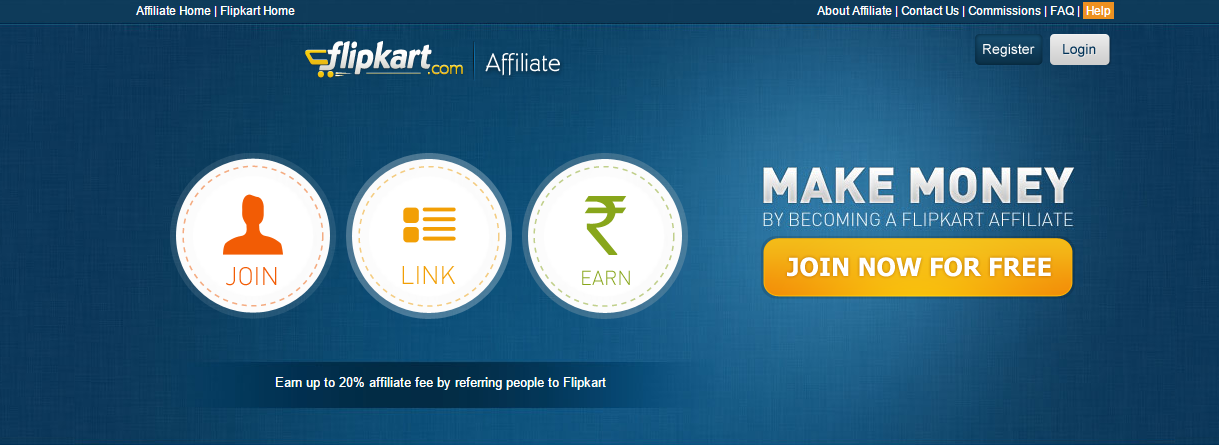
Open Affiliate Flipkart Clicking Here...


Simply Put your Email Id & Password Here...


@ Now on the Next Page... You'll see the Main Form Where you need to put all your Informations to Complete Signup like you do in other Registrations..


You'll need to enter all your Information Carefully...


@In this Affiliate Website Information part...you'll have to enter your website or Blog Domain Name...
If you don't have any...Simply enter any of the Website name...Or you can enter your Youtube Channel Link Also. They will approve it...


@ Now at this Affiliate Payment Information Page....You will need to enter your Name...Payment Mode & PAN No.

Note : You should select Gift Voucher in Payment Mode... Then you'll not have to face difficulties to transfer the amount to Bank. You can also change it any time from your Affiliate Settings.

& You have to enter your PAN CARD No.... Else 20% TDS will be cut from Flipkart's end....


That's it. Affiliation of Flipkart Done.

Now After Approving your Affiliate Account.... Just login using your User ID & Password...


After Successfully Logging In....You'll see this kind of a Home Page..


On the Bottom, you can see your Direct App Install Campain Affiliate Link.
This is your Direct App Install Link...(You will get Rs. 22 for Each Direct Link Install)

Just copy the Code & Put it to Bluestacks Browser to redirect to Flipkart App. Install the App from there. & Register for a New Account. You can put any email ID as Email Verification not Needed.


Another Link is Fallback Link...By which you'll get Rs. 35 Per App Install... I'll show you how to create a Fallback Link.


To create a Fallback Link to get Rs. 35 Per Install.... Search Anything on Flipkart.... & Copy your Product's Affiliate Link...Like I searched for Honor & Copied this a Honor Mobile's Affiliate Link of mine.


Now put this Link to your Bluestacks Browser & This link will redirect you to a Flipkart App Install Page....Click anywhere of that Page & it will redirect you to Play Store Flipkart App. You need to Install the App...& Signup. You done to get Rs. 35 per Install now as it's a Fallback Procedure.


After Installation & Sign Up done... you can Check the App Install Details from This Link.
Or go to Report -> App Install Report in your Flipkart Affiliate Account. This is the App install Report....Which will show you how much referral you got... & the respective amount you earned...


After Installation & Signup Procedure done.... Just Clean your Flipkart App data & then uninstall the App.

Change GUID, Android ID & Google Adv. ID from Bluestacks Tweaker...& Then Restart Bluestacks.

Then when Bluestacks turns on again.....Put Referral Code in Browser & Install App Again. Now just Repeat all those steps again & again to Earn Unlimited Time.


IMPORTANT:
***It takes few Mins, sometimes even hours to reflect the installs in your Account's Report section. Sometime installed doesn't reflects al-all... Say, I installed the App using my Affiliate Link for 10 Time... Then it'll reflect only 5-6 times...Means I'll get paid for 5-6 installations. It's a Flipkart Problem Guys.....


30 Apr 2015


Ladoo is one of the very popular among us these days. Because of it's few Loot Tricks. Many of us Looted Thousand of Bucks already from Ladooo. So Many of them currently facing an Account Ban. 


Anyways.. Ladooo is back with another aggressive Offer. It is now giving Rs 100 Ladooo Wallet Credit which you can redeem when recharging only for Referring a Friend. You Friend must Install atleast 2 Apps for that Referring Credit.

Apart from the Referring amount, there's also few Highly Paid Offers by which you can earn More Ladooo Credits. Like For register in Guvera you'll get Rs 15, Download Amazon App & Get Rs. 9.


How to Avail the Offer :
  1. Click Here to Intall Ladoo to your Android Mobile Phone.
  2. Enter your Mobile No to Register.
  3. After Registration Done, You'll see the App Offerings & Referral Link.
  4. Click on your Referral Link to share it with your Friends.
  5. Earn Rs. 100 on each Friend join through your Referral Link.


Screen-Shot :


Happy Looting & Enjoy these Offers.